InkToLog connector
A connector for moving a paper pilot logbook into ForeFlight. You share photos of your logbook pages with your AI assistant, it transcribes them, and InkToLog checks every page against the totals you wrote at the bottom and creates a ForeFlight import file.
What it does
The connector has two tools. Both take the transcribed page data from your conversation; neither receives your photos.
| Tool | What it returns |
|---|---|
| reconcile_logbook_pages | For each page and each time and landing column: whether the entries add up to the written page total, whether the forwarded total plus the page total equals the written total to date, and whether each page's forwarded totals match the previous page's totals to date. It lists only the cells that disagree, plus any cells your assistant marked as hard to read. |
| export_foreflight_csv | A CSV file in ForeFlight's logbook import layout: an aircraft table and a flights table with date, aircraft, route, times, landings, and remarks. |
It also provides a prompt, transcribe_logbook_pages, with the transcription rules the tools expect.
Connect
InkToLog is a remote MCP server. Any AI assistant that supports custom remote MCP connectors with sign-in can use it. You need:
- An assistant that can read photos and add custom connectors. Many require a paid plan for this.
- A Google account for sign-in. InkToLog stores your Google account ID and email address so it can count pages against your monthly allowance.
Server URL: https://mcp.inktolog.com/mcp
General steps
- In your assistant's settings, find connectors (sometimes called integrations, tools, or MCP servers) and add a custom connector.
- Name it InkToLog and enter the server URL. Leave any advanced settings, such as client ID, blank.
- Connect, approve the connection, and sign in with Google.
Example: Claude
- Go to Settings > Connectors and choose Add custom connector.
- Name it InkToLog, enter the server URL, and leave the advanced settings blank.
- Select Connect, approve the connection, and sign in with Google.
Tested with: Claude. If you use InkToLog with another assistant, tell us how it went at [email protected].
How to use it
- Photograph your pages. Flat, in focus, whole page in frame, totals rows included. If your logbook spreads one set of columns across two facing pages, photograph both and treat the spread as one page.
- Share the photos with your assistant and ask it to transcribe and reconcile them. Send pages in order. Most assistants can handle several pages per message; for a long logbook, work in batches of 20–60 pages.
- Review what's flagged. A page that balances is strong evidence the transcription matches your paper. For each flagged cell, check the photo or your logbook and tell your assistant the correct value.
- Create the import file. Ask your assistant for the ForeFlight file, save it as a .csv, and import it in ForeFlight under Logbook > Import. Keep your paper logbook.
Example prompts
"Here are pages 14 to 17 of my paper logbook. Transcribe them and reconcile each page against the totals I wrote at the bottom."
Your assistant transcribes the pages and calls reconcile_logbook_pages. You get a summary like Pages: 4 · Entries: 47 · Balanced pages: 2 · Pages to check: 2 and a table of the cells that disagree, such as a forwarded total that doesn't match the previous page.
"Line 7 on page 15 has 0.5 night. Fix that and check page 15 again."
Your assistant corrects the cell and re-runs the check. Pages you've already processed this month don't count against your allowance again.
"Everything balances now. Make the ForeFlight import file for these pages."
Your assistant calls export_foreflight_csv and gives you the CSV to save and import.
"This is the next batch, pages 18 to 40. Continue the carry-forward check from where the last batch ended."
Your assistant passes the previous batch's closing totals to date, so the first page of the new batch is checked against the last page of the old one.
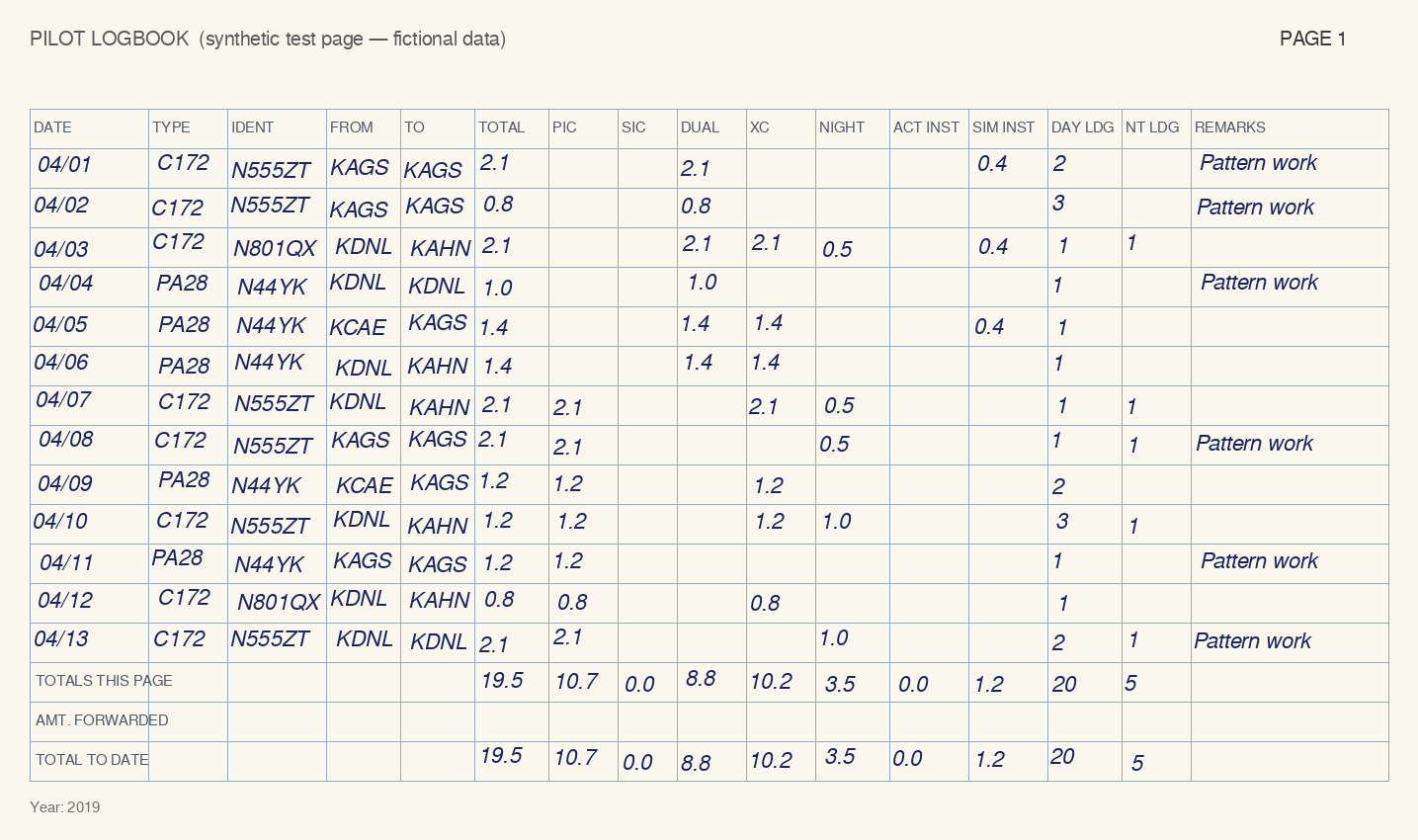
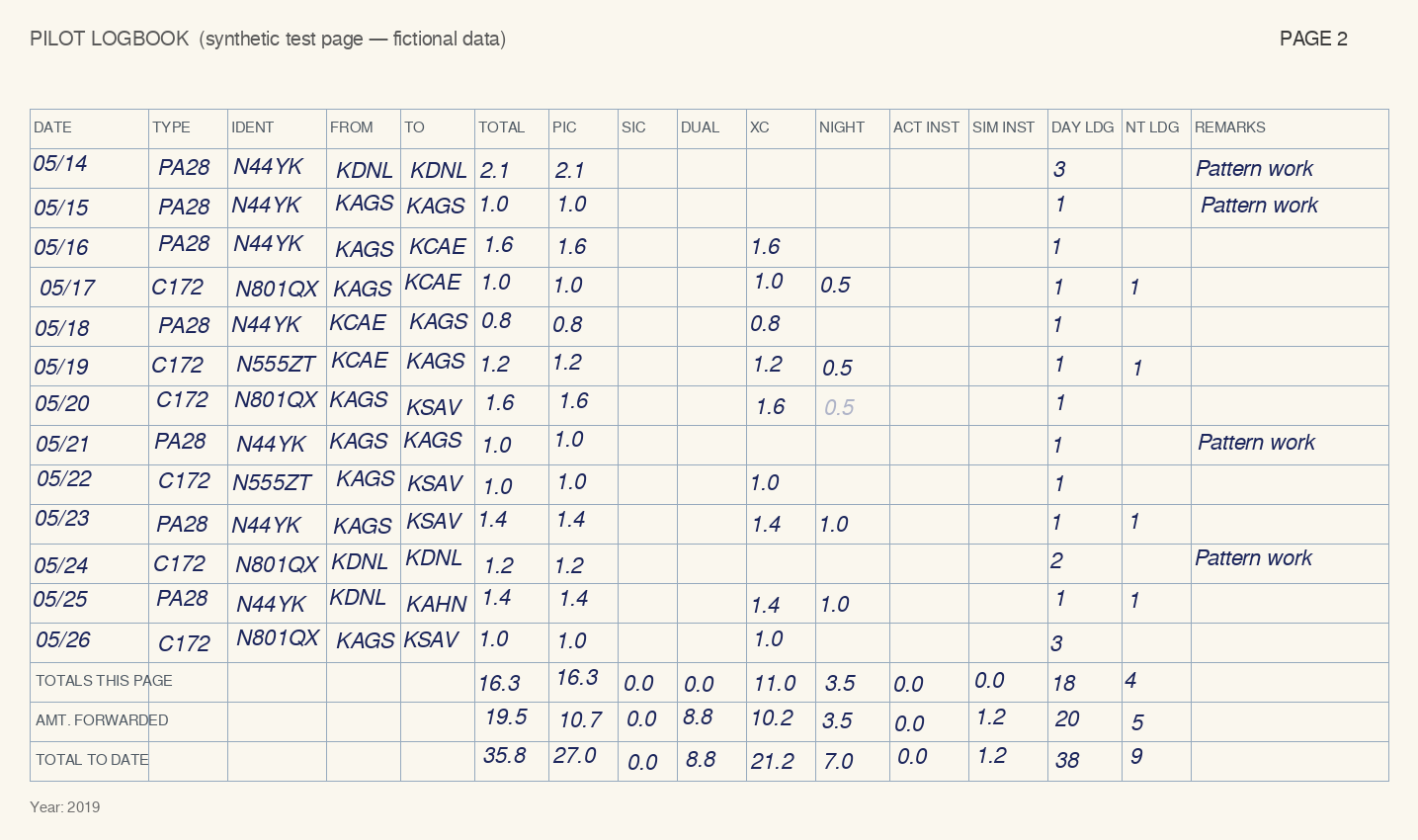
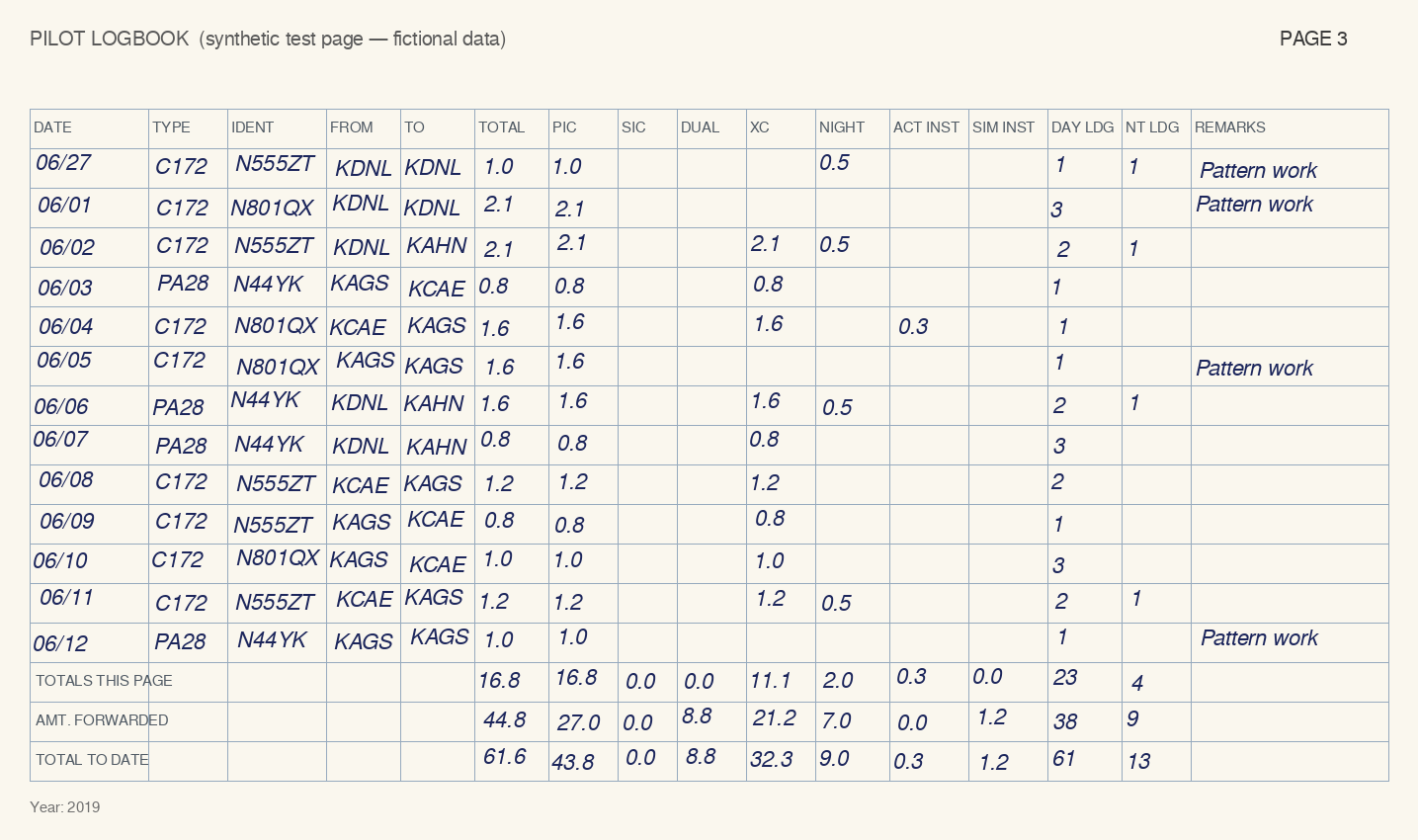
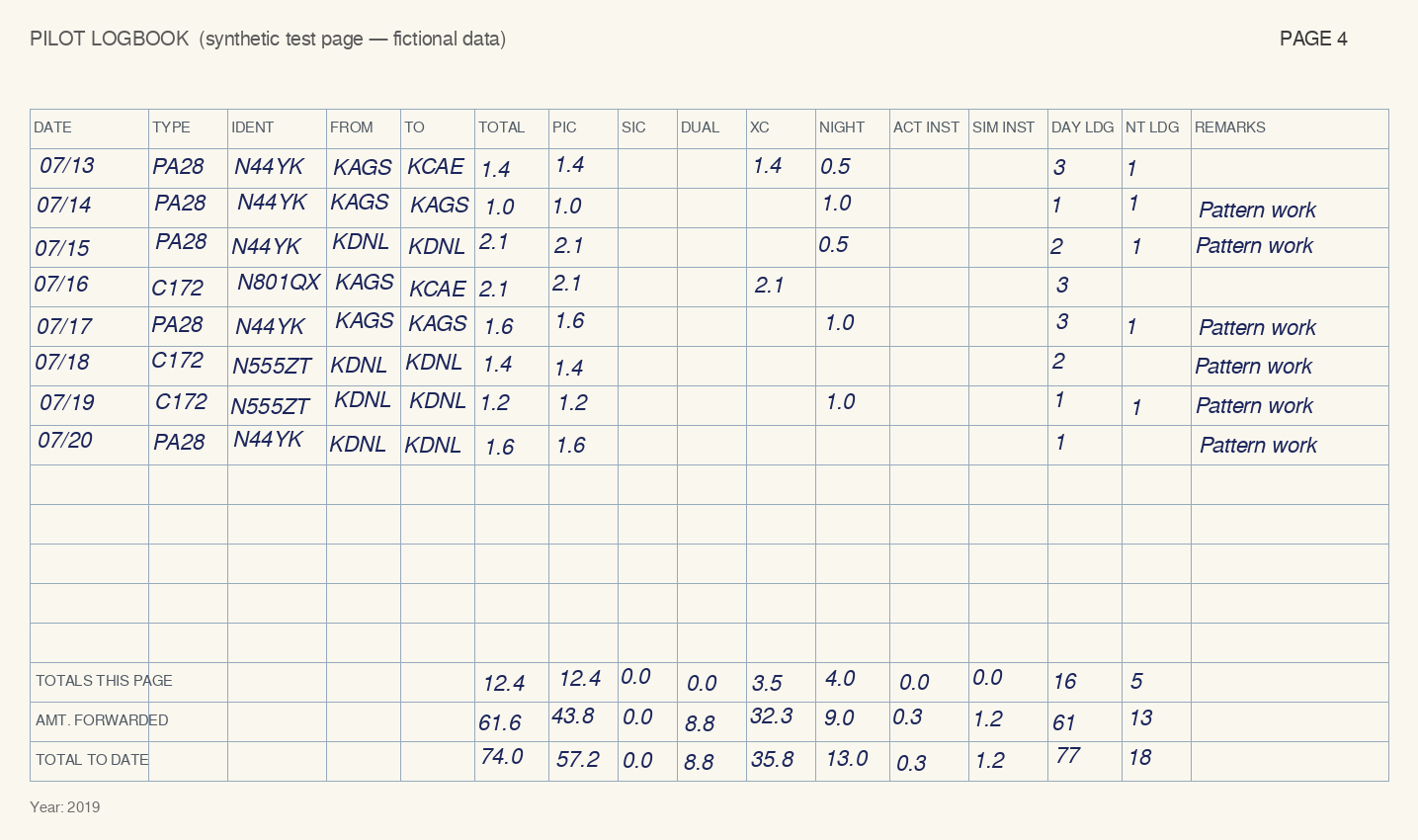
To try the connector without your own logbook, use these four synthetic test pages (2, 3, 4). They contain fictional data with two deliberate errors in the written totals (page 3's forwarded total and page 4's PIC total to date) and one faint cell on page 2 that tests the transcription. The same pages are also available as transcribed data, in which page 2's faint cell was read as blank, so the check flags it too.
Limits and plans
- Up to 60 pages per reconciliation call and 10 pages per import-file call (a longer logbook gives several import files, imported in order).
- A page counts once per calendar month (UTC). Re-running a page, or correcting its times, airports, remarks, or totals, is free; a page with different dates or aircraft counts as a new page.
- Free: 10 pages per month.
- 31-day pass: $19, one-time payment, up to 1,000 pages during the 31 days. It doesn't renew. When you reach the free allowance, the tool's message includes a link to the pass. Payment is on Stripe's checkout page, outside your assistant.
- The connector transcribes nothing itself: transcription accuracy depends on photo quality and handwriting, which is why every page is checked against your written totals.
- The ForeFlight file covers flight entries and totals. Endorsements and signatures stay in your paper logbook.
- InkToLog converts records; it doesn't certify them. Whether a digital logbook meets a requirement that applies to you is between you and your examiner or employer.
Privacy
The tools receive only the page data your assistant sends in a tool call: dates, aircraft, airports, times, landings, and remarks. That data is processed to produce the result and is not stored. InkToLog keeps your account (Google account ID, email, plan) and, for the current and previous month, a one-way fingerprint of each page number you processed, so pages are counted once. Leave instructor certificate numbers and signatures out of transcriptions; the tools have no field for them. Full details: Privacy & terms.
Troubleshooting
Your assistant says it couldn't connect
Remove the connector in your assistant's settings and add it again. If Google sign-in fails, check that your Google account's email address is verified.
"Monthly page allowance reached"
The message says how many pages remain and when the allowance resets. Pages you've already processed this month can be re-run at no charge.
Many cells are flagged on one page
Usually a photo problem: a cropped totals row, glare, or a curved page. Retake the photo and ask your assistant to transcribe that page again.
ForeFlight rejects the file
Check that every line has a full date (YYYY-MM-DD); the tool lists lines without one. If it still fails, email us the error message.
Disconnect and delete your data
Remove the connector from your assistant to stop access. To delete your InkToLog account, email [email protected] from the address you signed in with.
Support
Email [email protected]. We answer within two business days. Report security issues to the same address with "Security" in the subject.